
Linglass: Dual Subtitles for YouTube & Netflix
Store listing checked November 26, 2026.
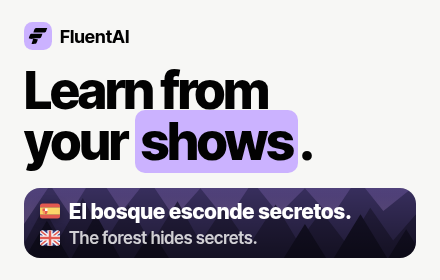
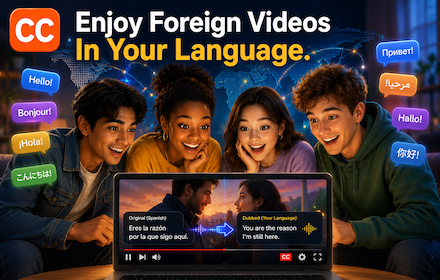
Learn languages on YouTube, Netflix, Viki & iQIYI. Dual subtitles, click any word to translate, save words as flashcards.
Overview
Linglass: Dual Subtitles for YouTube & Netflix is a free Chrome extension with in-app purchases, listed in the Translator category on ExtensionFinder. It has 10,000 users on the Chrome Web Store and an average rating of 4.8 out of 5 from 76 ratings. Version 1.13.5 was last updated on November 25, 2026. Its manifest requests 5 permissions and host access to 12 site patterns. The most sensitive of these let it inject scripts and styles into web pages. Its ExtensionFinder privacy score is 67/100 (Medium Risk). With an overall score of 66/100, it ranks #32 of 144 extensions in Translator.
Ranking Breakdown
Categories
Screenshots
Privacy & Permissions
Permissions
Host Access
What these permissions allow
- scripting — Inject scripts and styles into web pages.
- storage — Store settings and data locally in the browser.
- identity — Sign you in through OAuth, for example with your Google account.
- alarms — Schedule tasks to run periodically or at a set time.
- activeTab — Access the current tab only after you invoke the extension, for example by clicking its icon.
- host access — Read and change data on 12 specific site patterns listed in its manifest.
Alternatives to Linglass: Dual Subtitles for YouTube & Netflix
The highest-scoring other extensions in Translator, ranked by ExtensionFinder's overall score.

DeepL: translate and write with AI
Translate while you read and write with DeepL Translate, the world’s most accurate translator.

Google Translate
View translations easily as you browse the web. By the Google Translate team.

Immersive Translate: AI Web, PDF & Video Translator
Free Translate Website, Translate PDF & Epub eBook, Translate Video Subtitles in Bilingual

NoteGPT: YouTube Summary, Chat with AI Assistant, ChatGPT DeepSeek Claude
Summarize YouTube videos and turn transcripts into notes with AI. Generate captions, then translate, copy, or download subtitles.

eJOY AI Dictionary
Your ultimate knowledge and English learning tool to discover the world and upskill yourself. Translate video, websites and PDF.